

Inside a TODO
A TODO is one task, one chat and one agent run. This page covers everything inside it. M is Alt on Windows and Linux, Ctrl on Mac.
Header
| Button | What it does |
|---|---|
| ← | Back to the board. |
| Checkbox | Mark done (M+X). |
| Share (arrow icon) | Opens Share TODO, see below. |
| Side panel | Opens Sub-todos, Browser, Terminal and Changes. |
| ⋮ Todo options | Menu, see below. |
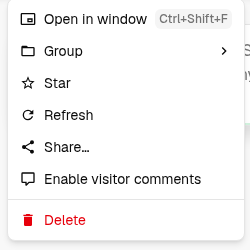
Todo options:
- Open in window / Open full page (
Mod+Shift+F) - Group: move the TODO to another group on the board.
- Move to project: shown when you have another project you can write to. The messages move with the TODO.
- Star
- Refresh
- Share…
- Enable visitor comments
- Delete (Stop and delete while it runs)
Blocks in the chat
Each agent step is a collapsed row you can expand: title, size (488 chars, 81 lines) and a stop button while it runs.
| Block | When you see it |
|---|---|
| Tool step | Shell command, file read or write, web search, fetch, browser action. |
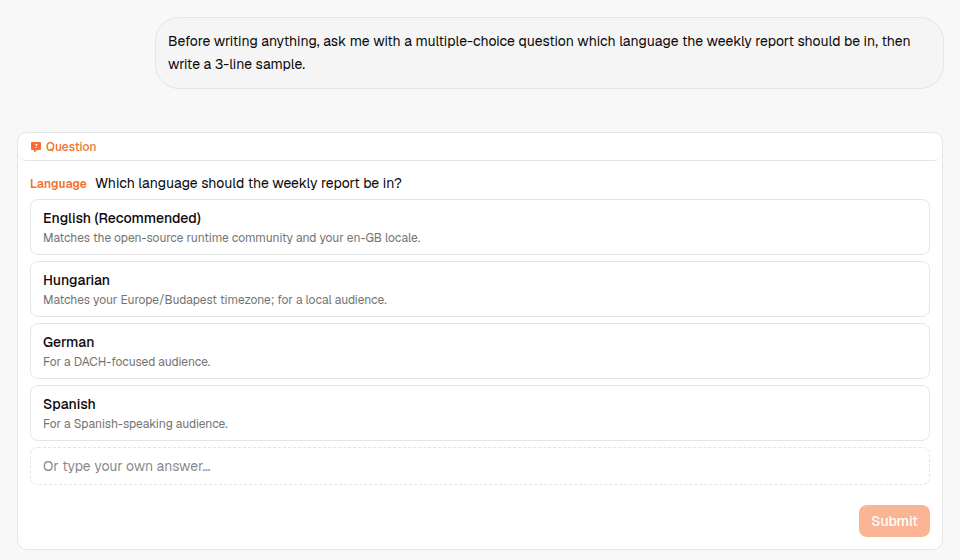
| Question | The agent needs a decision. Pick an option or type your own answer, then Submit. |
| Approval | A tool set to ask wants to run. Approve, Deny, or Approve & remember. |
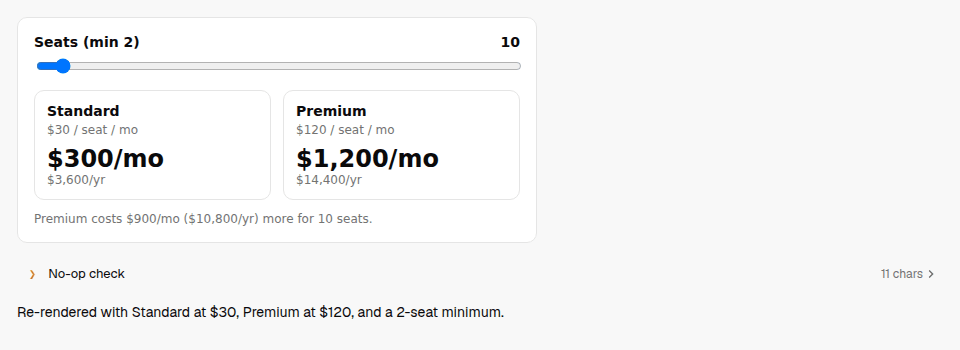
| HTML snippet | Interactive UI rendered inside the chat: calculators, forms, charts. Full screen and More options in the corner. |
| Show | A file the agent produced (image, PDF, HTML, doc), previewed inline. |
| Image | Image generation result. |
| Sub-agent | A delegated TODO with its live status. |
Question
Interactive HTML
Approvals
When a tool's permission is ask, the run pauses at an approval block. Pending approvals are listed in a bar above the composer, so you can clear several at once.
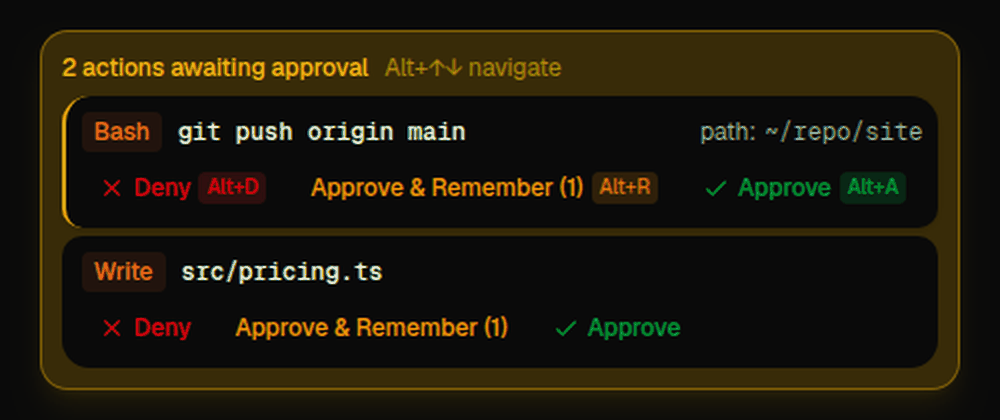
- Approve (
M+A) runs this action once. Deny (M+D) blocks it. - Approve & remember (
M+R) saves a rule, so the same kind of action runs without asking next time. For shell commands, −/+ makes the rule broader or stricter (git push *vsgit push origin main); temp remembers it for this tab only. - Allow all (toggle in the chat): tools run without approval in this tab only.
- Auto-done (toggle): a successful run marks the TODO done.
Default permissions: Security →
Message actions
Hover a message and open its menu:
- Retry from here: re-run from this point and drop what came after.
- Fork chat into new TODO: copy the conversation up to here into a new TODO.
- Comment: discuss a message with teammates and link visitors. Only on shared TODOs (sharing makes the TODO viewable by anyone with the link). The agent never sees comments unless you pick Use as prompt.
- Copy link to message
- 👍 / 👎 feedback on agent replies.
You can send messages while the agent is still working. They queue and run next; cancel a queued message before it starts.
Side panel
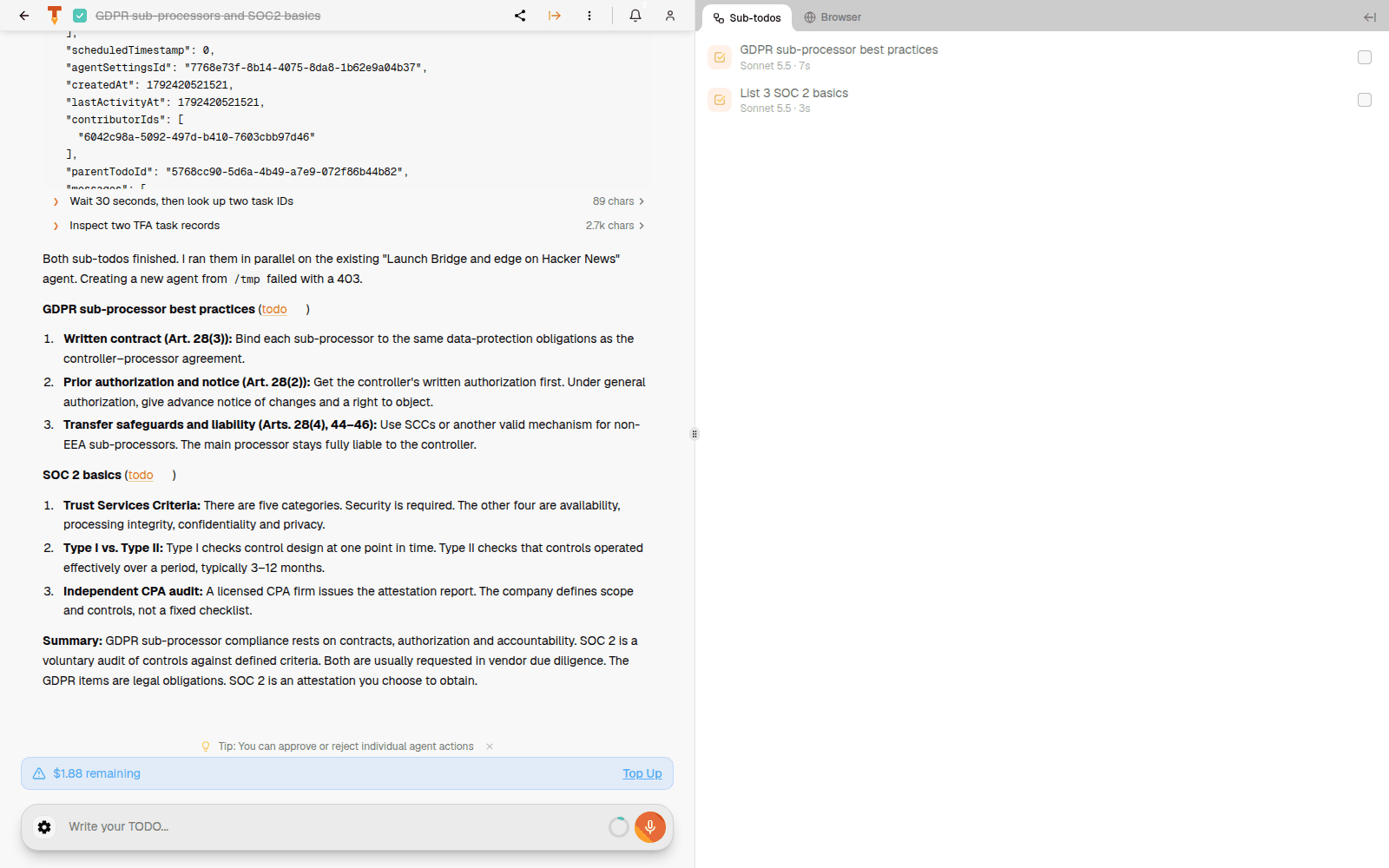
| Tab | Contents |
|---|---|
| Sub-todos | TODOs this agent started, with model, run time and status. Click to open one. |
| Browser | Live view of the agent's browser. You can watch or take over. |
| Terminal | Shell output of the run. |
| Changes | Files changed, from chat or Git, as diffs. |
A sub-todo shows Started by … at the top, which links back to its parent.
Share TODO
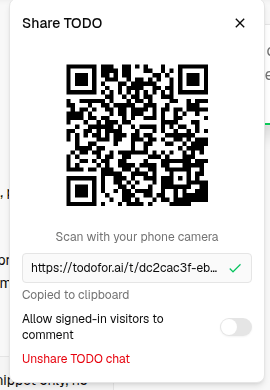
- The link is copied when you open it. Anyone with the link can view the chat; they cannot run anything.
- QR code for phones.
- Allow signed-in visitors to comment
- Unshare TODO chat turns the link off.
To share a whole board with people, use Project sharing.
Composer

From left to right:
| Control | What it does |
|---|---|
| ‹ | Hide tools. |
| Agent (green dot = online) + ⚙ | Which agent runs the TODO. ⚙ opens its settings (M+G). |
Model (M+M) | Model and thinking level. |
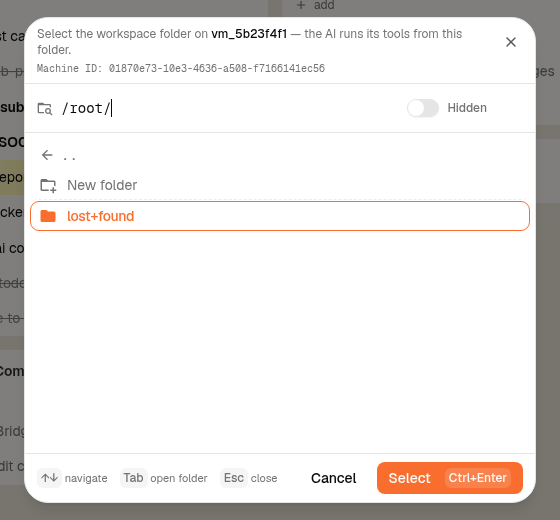
| Folder | Workspace folder on the machine; the agent runs its tools from there. |
| Paperclip | Attach files. |
| ⋮ (while typing) | More actions. |
Mic (M+V) | Dictation: speech to text into the box. |
| Orange waveform | Talk to Tod, the voice assistant. |
| DO IT! | Send (Enter). |
Model picker
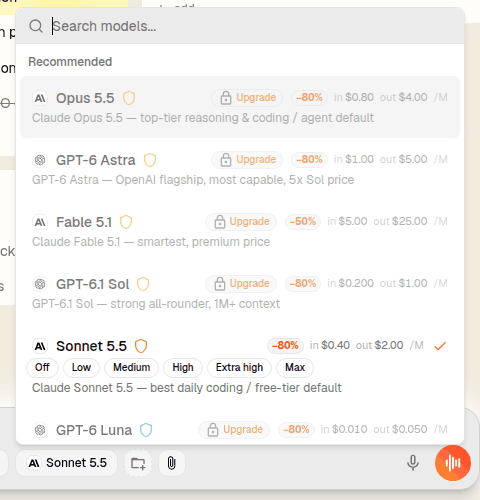
Each row shows input and output price per million tokens and any discount. Models with a lock need a paid plan. The selected model shows thinking levels: Off, Low, Medium, High, Extra high, Max.
Workspace folder
Slash commands
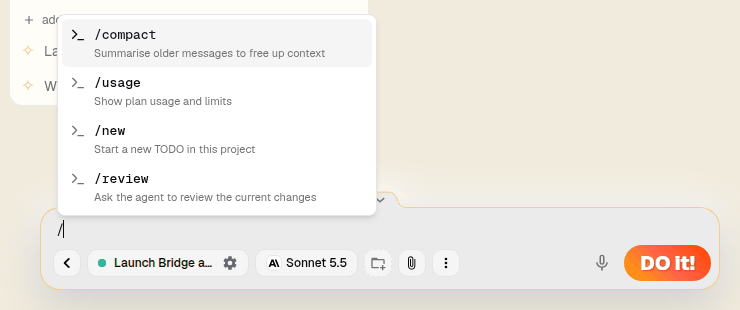
| Command | What it does |
|---|---|
/compact | Summarise older messages to free up context. |
/usage | Show plan usage and limits. |
/new | Start a new TODO in this project. |
/review | Ask the agent to review the current changes. |
Tod, the voice assistant
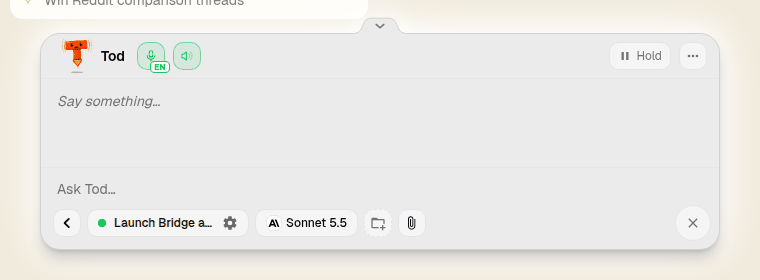
Click the orange waveform (or M+V on the board). Tod listens, answers by voice, and creates TODOs from what you say. Hold pauses listening, the mic button mutes, ✕ exits voice mode. Expand it to see the conversation and type instead.
Credit bar
Remaining credit and Top Up. When credit runs out, runs stop until you top up or the usage window resets. Plans →