

Agents
Configuring agents
An agent is a model plus instructions plus the tools and machines it may use. Open the settings with Alt+G (Ctrl+G on Mac) or the gear icon in the composer.
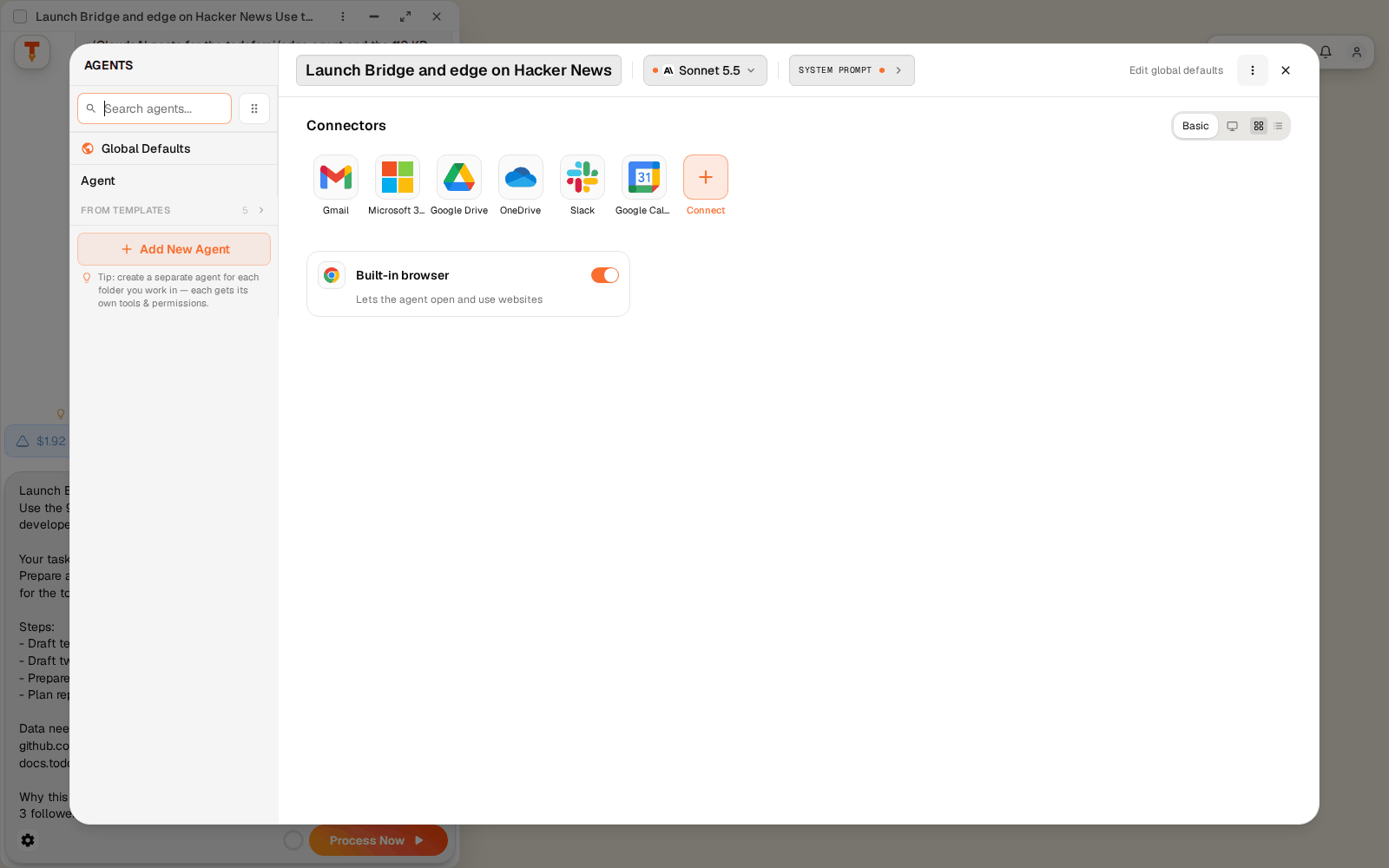
Agents list
- Global Defaults apply to every agent. Change them with Edit global defaults.
- Add New Agent, or start From Templates. A specialised agent (e.g. Support with the help-center connector and a strict prompt) is easier to trust than one agent that does everything.
- Pick the agent per TODO in the composer.
Model and system prompt
- Model: Claude, GPT, Gemini, Grok and others. The composer's model picker (
Alt+M,Ctrl+Mon Mac) overrides it per TODO and shows price per million tokens and thinking level. - System prompt: role, rules, tone. Company facts belong in the project's brand page (Settings → Workspace), not here; every agent reads that page anyway.
Connectors
Gmail, Microsoft 365, Google Drive, OneDrive, Slack, Google Calendar, or Connect an app for the full directory. Switch between Basic and Advanced, tile or card view. See Machines & connectors.
Where the agent works
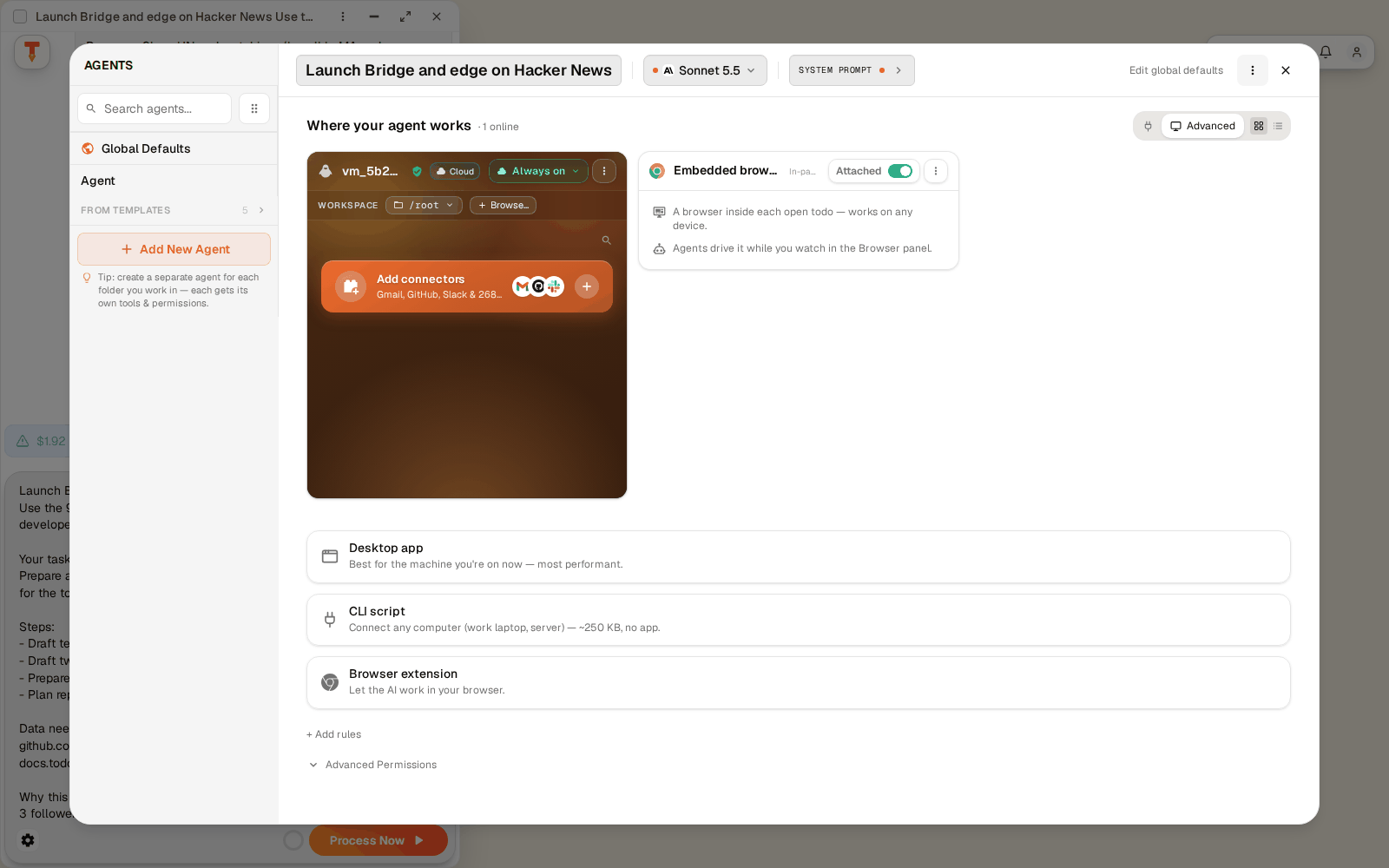
Choose which machines this agent may use: the cloud VM, your PCs and servers (via Bridge or the desktop app), your browser (extension) and the built-in browser.
Permissions
Each tool is allow, ask or deny. Defaults let agents run shell commands and edit files on the machines you attach; set them to ask where that is too much. Approvals in a TODO can be saved with Approve & Remember. Details: Agent permissions.
Last modified on